The best CAD/CAM software for CNC beginners is Autodesk Fusion 360, offering an integrated design and manufacturing platform with an intuitive interface, powerful yet accessible toolpaths, and a generous free personal use license that removes financial barriers to entry. For those focused specifically on 2D routing and sign-making, Easel and Carbide Create provide even simpler, more focused alternatives with gentler learning curves.
Introduction: The Software Gateway to CNC Machining
Computer-Aided Design (CAD) and Computer-Aided Manufacturing (CAM) software form the critical bridge between your ideas and the finished part. CAD lets you design what you want to make, while CAM translates that design into G-code—the language your CNC machine understands.
For beginners, choosing the right software can feel overwhelming. The market offers everything from free, browser-based applications to professional suites costing thousands of dollars. The good news is that you don’t need expensive software to start learning, and many powerful options exist at zero cost.
This guide cuts through the noise to help you find the software that matches your skill level, machine type, and project goals.
What to Look for in Beginner CAD/CAM Software
Before diving into specific recommendations, understand what makes software “beginner-friendly”:
Ease of Learning (Low Learning Curve)
The software should have an intuitive interface, abundant tutorials, and an active community. Beginners are best served by platforms with large communities and abundant resources to help troubleshoot and learn new features efficiently.
Integrated CAD/CAM Workflow
Software that combines design and manufacturing in one environment eliminates the friction of transferring files between separate programs. When design changes occur, integrated CAD/CAM automatically updates toolpaths—saving time and preventing errors.
Accessible Pricing
Many excellent options are free for hobbyists, students, and personal use. Professional licenses can wait until you’re generating revenue.
Machine Compatibility
Ensure the software supports your specific CNC machine’s control system through appropriate post-processors.
Top CAD/CAM Software Picks for Beginners
1. Autodesk Fusion 360 – Best Overall for Serious Beginners
Type: Integrated CAD/CAM | Platform: Windows, Mac | Price: Free for personal use, paid for commercial
Fusion 360 is widely regarded as the Swiss Army knife of CAD/CAM software. It combines professional-grade design tools with powerful manufacturing capabilities in a single, cloud-connected platform.
Why It’s Great for Beginners:
-
Truly integrated workflow: Design and CAM live in the same environment. When you change your design, toolpaths update automatically—no file exports or re-imports.
-
Adaptive Clearing: Fusion’s signature roughing strategy maintains constant tool engagement, making toolpaths safer and more efficient than traditional methods.
-
Free for personal use: Hobbyists working on non-commercial projects can access a surprisingly feature-rich free version for a renewable three-year term. This includes 3D modeling, 2.5-axis through 3-axis milling, turning, and even some 5-axis capabilities.
-
Massive learning ecosystem: YouTube is filled with tutorials, Autodesk provides free certifications and curricula, and user communities are extremely active.
Considerations:
-
Cloud dependency: An internet connection is required for file access and some functions.
-
Learning curve for advanced features: While the basics are approachable, mastering 5-axis or generative design takes time.
-
Restrictions tightening: The free personal use license has become more limited over time for commercial applications.
Verdict: If you plan to progress beyond basic signs and want a tool that will grow with you, start here. Fusion 360 is the most common recommendation from experienced users.
2. Easel – Best for Absolute Beginners in 2D Routing
Type: Browser-based 2D CAD/CAM | Platform: Any (web browser) | Price: Free tier with paid pro features
Easel, developed by Inventables for their X-Carve machines, is designed specifically for people who have never programmed a CNC machine before.
Why It’s Great for Beginners:
-
Extremely intuitive interface: You can often design and cut your first sign within an hour of opening the software.
-
Built-in machine control: Easel can send G-code directly to many machines, eliminating a separate “sender” program.
-
Presets for common bits and materials: Select your material and tool, and Easel suggests reasonable speeds and feeds.
Considerations:
-
Limited to 2.5D: True 3D contouring and complex 3D surfaces are not Easel’s strength.
-
Pro features cost money: Advanced V-carving and some toolpath strategies require a paid subscription.
-
Browser-based only: Requires consistent internet access.
Verdict: Easel is the perfect starting point for hobbyists making signs, plaques, and simple decorative items—especially if you own an X-Carve or a similar router.
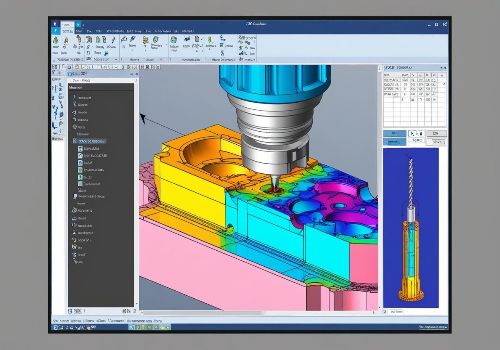
3. Carbide Create – Best Free Option for 2D and V-Carving
Type: Desktop 2D/2.5D CAD/CAM | Platform: Windows, Mac | Price: Free version available, paid “Pro” version
Developed by Carbide 3D (makers of the Nomad and Shapeoko), Carbide Create is a powerful, free program for 2D design and 2.5D machining.
Why It’s Great for Beginners:
-
Excellent V-carve tools: Handles decorative engraving and sign-making exceptionally well.
-
More features than Easel: Offers a larger list of presets and some additional design tools while maintaining a simple user interface.
-
Free version is very capable: You can do real work without paying.
Considerations:
-
File export changes: Recent versions removed direct G-code export, requiring an extra step to extract the code through their website—though older versions are still available.
-
Not full 3D CAD: Complex 3D modeling is better handled in Fusion 360.
Verdict: An outstanding choice for users focused on 2D signs, inlays, and v-carving who want a step up from Easel without jumping into Fusion 360.
4. Kiri:Moto – Best Free Online 3D CAM
Type: Browser-based 3D CAM | Platform: Any (web browser) | Price: Free
Kiri:Moto is a browser-based CAM software specifically designed for generating toolpaths from 3D models (STL files).
Why It’s Great for Beginners:
-
No installation required: Runs entirely in your web browser.
-
Great 3D capabilities: Handles 3D reliefs, trays, and complex parts well.
-
Integrates with Onshape: If you use Onshape for CAD, Kiri:Moto works as a plugin within the same window.
Considerations:
-
Limited CAD tools: This is CAM-only; you’ll need separate CAD software to create or obtain 3D models.
-
Browser-based only: Requires internet access.
Verdict: The best free option for users who already have 3D models (downloaded or from another CAD program) and need to generate toolpaths for 3D carving.
5. FreeCAD – Best Open-Source Option
Type: Integrated CAD/CAM | Platform: Windows, Mac, Linux | Price: Completely free (open-source)
FreeCAD is a fully open-source, parametric 3D CAD modeler with a built-in CAM workbench called “Path”.
Why It’s Great for Beginners:
-
Completely free for any use: No commercial restrictions, no license expirations.
-
Cross-platform: Runs on Windows, Mac, and Linux.
-
**Active community support.
Considerations:
-
Steeper learning curve: The interface is less polished than commercial options, and the workflow requires more manual steps.
-
CAM features are more basic: Compared to Fusion 360, the toolpath strategies are less advanced.
Verdict: A good choice for technical users, open-source advocates, or those who cannot use cloud-based software.
6. Estlcam – Best for Hobbyist 3-Axis Work
Type: Desktop 3-axis CAM | Platform: Windows | Price: Free trial; paid license for full version
Estlcam is German software designed specifically for the hobbyist CNC market, with a focus on simplicity and speed.
Why It’s Great for Beginners:
-
Very easy to start: Designed for inexperienced users with countless help functions and video tutorials.
-
Can act as machine control: When used with the Estlcam Controller, it can both generate code and run the machine.
-
Multilingual interface: Supports many languages including Chinese, Japanese, and Korean.
Considerations:
-
Windows only: No Mac or Linux versions.
-
Limited advanced features: Best for 2.5D and simple 3D work, not complex multi-axis machining.
Verdict: An excellent choice for hobbyists with 3-axis machines who want a straightforward, fast, and affordable CAM solution.
Software Comparison Table
| Software | Best For | CAD/CAM Integration | 2D/2.5D | 3D | Price (Beginner Level) | Learning Curve |
|---|---|---|---|---|---|---|
| Fusion 360 | Serious beginners, all-around | Full integration | Excellent | Excellent | Free for personal use | Moderate |
| Easel | Absolute beginners, signs | Built-in basic CAD | Good | Limited | Free tier | Very Low |
| Carbide Create | Sign-making, V-carving | Built-in CAD | Excellent | Limited | Free version | Low |
| Kiri:Moto | 3D carving from STL files | CAM only | N/A | Good | Free | Low |
| FreeCAD | Open-source users | Full integration | Good | Basic | Free | Steep |
| Estlcam | Hobbyist 3-axis CAM | Import only | Good | Moderate | Free trial; paid license | Low |
Making Your Final Decision
Choose Fusion 360 If:
-
You want a single tool that handles everything from design to multi-axis machining
-
You plan to progress beyond basic signs into functional parts and assemblies
-
You qualify for the free personal use license or have budget for a subscription
-
You have reliable internet access
Choose Easel If:
-
You own an X-Carve or similar router
-
You want to make your first cut within an hour
-
2D signs and simple decorative projects are your focus
Choose Carbide Create If:
-
Sign-making and V-carving are your primary interests
-
You want more features than Easel without the complexity of Fusion 360
-
You own a Carbide 3D machine or don’t mind the extra G-code export step
Choose Kiri:Moto If:
-
You primarily work with downloaded or externally created 3D models
-
You want a free, browser-based solution for 3D CAM
-
You use Onshape for CAD
Getting Started: Your First 30 Days
Whichever software you choose, follow this roadmap:
Week 1: Install the software and work through the official tutorials. Don’t try to design anything original yet—just follow along.
Week 2: Design a simple project (a coaster, a nameplate, a phone stand) using the CAD tools. Focus on learning the sketching and extrusion workflow.
Week 3: Generate toolpaths for your design and run the simulation. Watch how the virtual tool moves and verify that it’s cutting the way you expect.
Week 4: If you have access to a CNC machine (makerspace, school lab, or your own), run the program on foam or soft wood first. Save the expensive materials for after you’ve confirmed the toolpath works.
Conclusion: The Best Software Is the One You Actually Use
For CNC beginners, Autodesk Fusion 360 stands as the most powerful and accessible entry point, offering professional capabilities with a generous free license. However, the “best” software is ultimately the one that matches your specific machine, project goals, and learning style.
Start with one recommendation that fits your needs. Create your first simple project—a coaster, a sign, a basic bracket. Make mistakes, learn from them, and gradually expand your skills. The software is just a tool; your willingness to learn and experiment matters far more than which logo appears at startup.
As one experienced machinist noted, no software is inherently “bad”—results depend far more on training, implementation, and workflow than on the specific package chosen. Pick one, start cutting, and grow from there.
Ready to start your CNC journey? Download Fusion 360’s free personal use license today and work through their built-in tutorials. Your first perfect part is closer than you think.